Introducing FinBaze Agents: from answers to finished work
You give an agent a goal in your own words. It makes a plan, works through it in the background and asks for your approval before anything that matters happens. Now in early access.
Emile Vos, founder of FinBaze
AI has been able to answer questions about your books for years. So why are you still matching bank lines on a Monday morning?
That question stayed with us. AI is the reason FinBaze exists. Our assistant answers questions, reads receipts and prepares bookings. But work made up of ten small steps was still left to you.
Today we're launching FinBaze Agents. You give an agent a goal in your own words. It makes a plan, works through it in the background and asks for your approval before anything that matters happens. FinBaze Agents are available now in early access.
Think of an agent as a colleague you hand a job to. You say what needs doing. It comes back when the job is done, or sooner if it needs you.
From answers to finished work
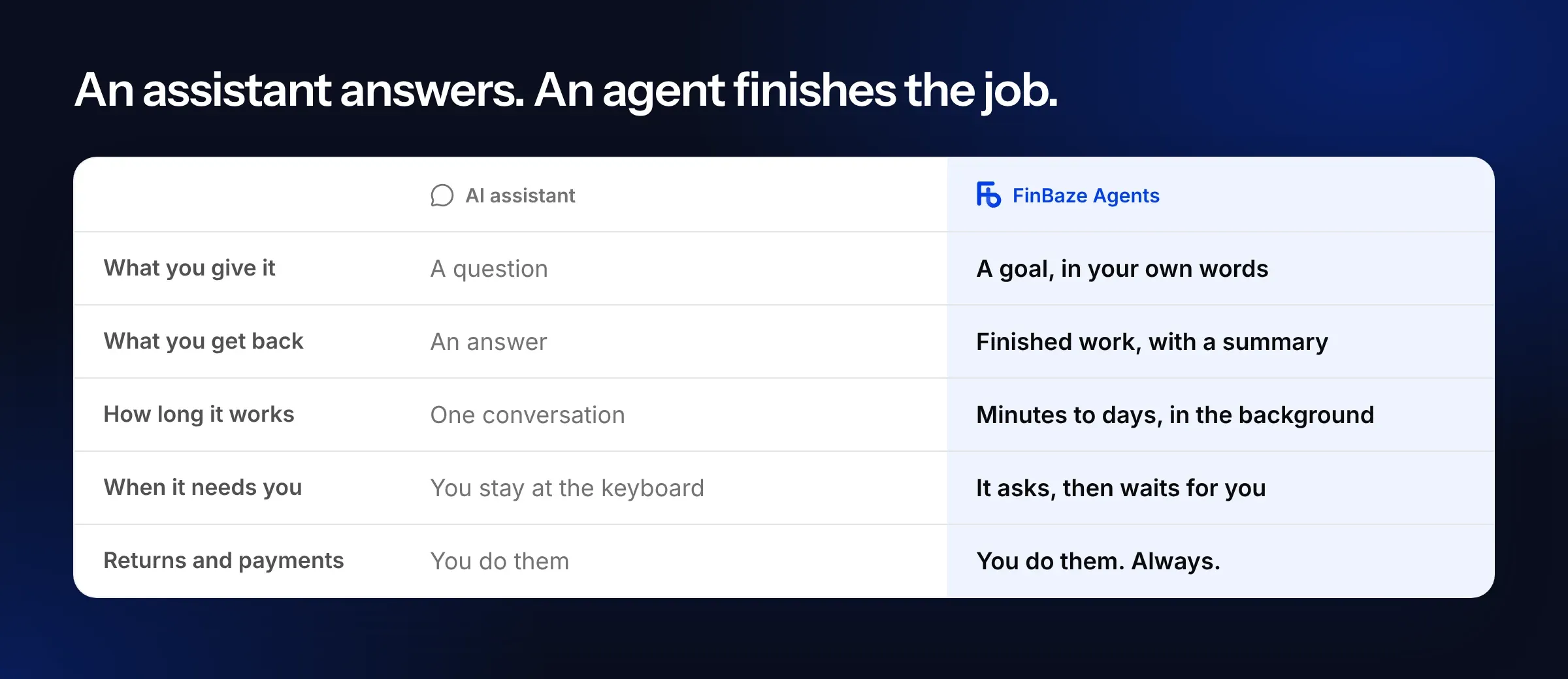
An assistant works inside one conversation. You ask a question, get an answer, and then it's your move again. An agent gets a goal and keeps working until it's done. That can take minutes, or days if it's waiting on an answer from you.
To do that, the agent uses the same 640+ operations FinBaze itself uses. It looks up invoices, compares bank lines, prepares drafts and records what it does. It works inside your books, with your permissions.
How it works
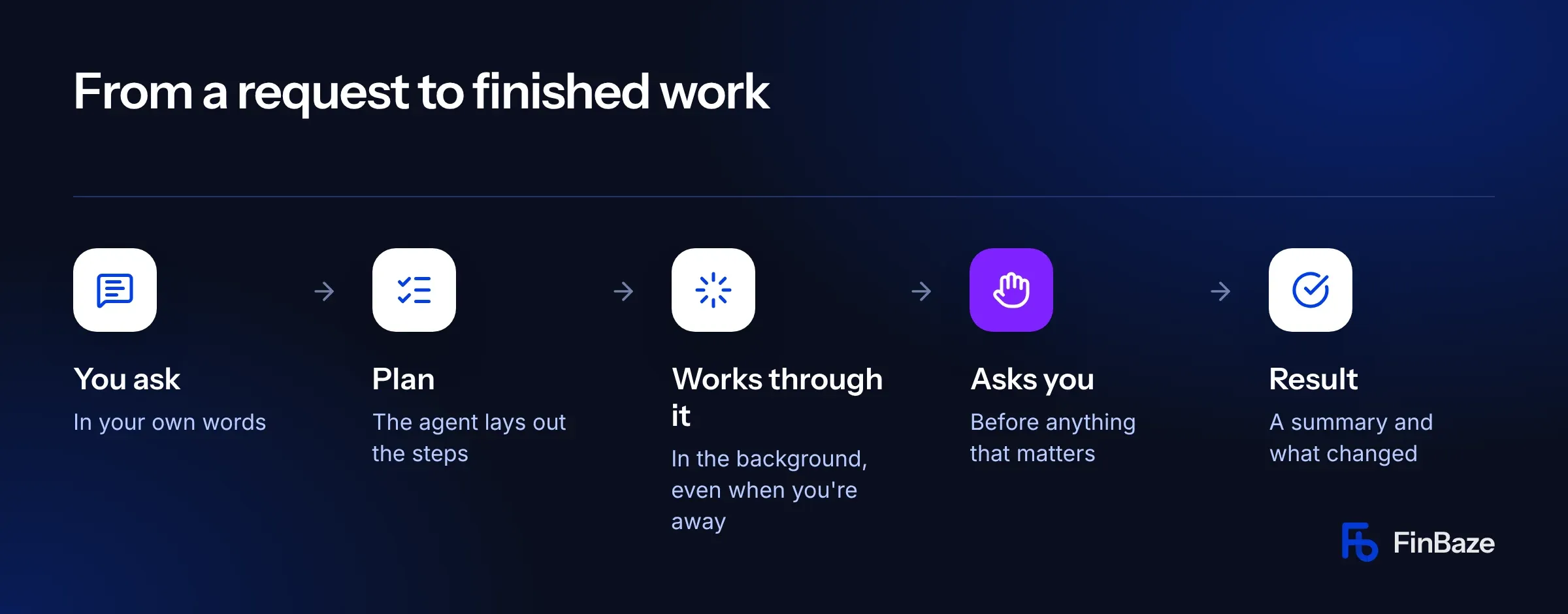
- You ask. Describe what needs doing in your own words. Add documents from your Drive, a deadline or a credit limit if you like.
- The agent makes a plan. You see the steps as a checklist, so you know straight away what it's going to do.
- It works through it in the background. Close your laptop. The agent carries on, step by step.
- It asks for your approval. When something that matters is about to happen, it stops and waits. If it has a question, such as which of two suppliers is the right one, it asks.
- You get the result. A summary, what it changed, and links to everything it touched.
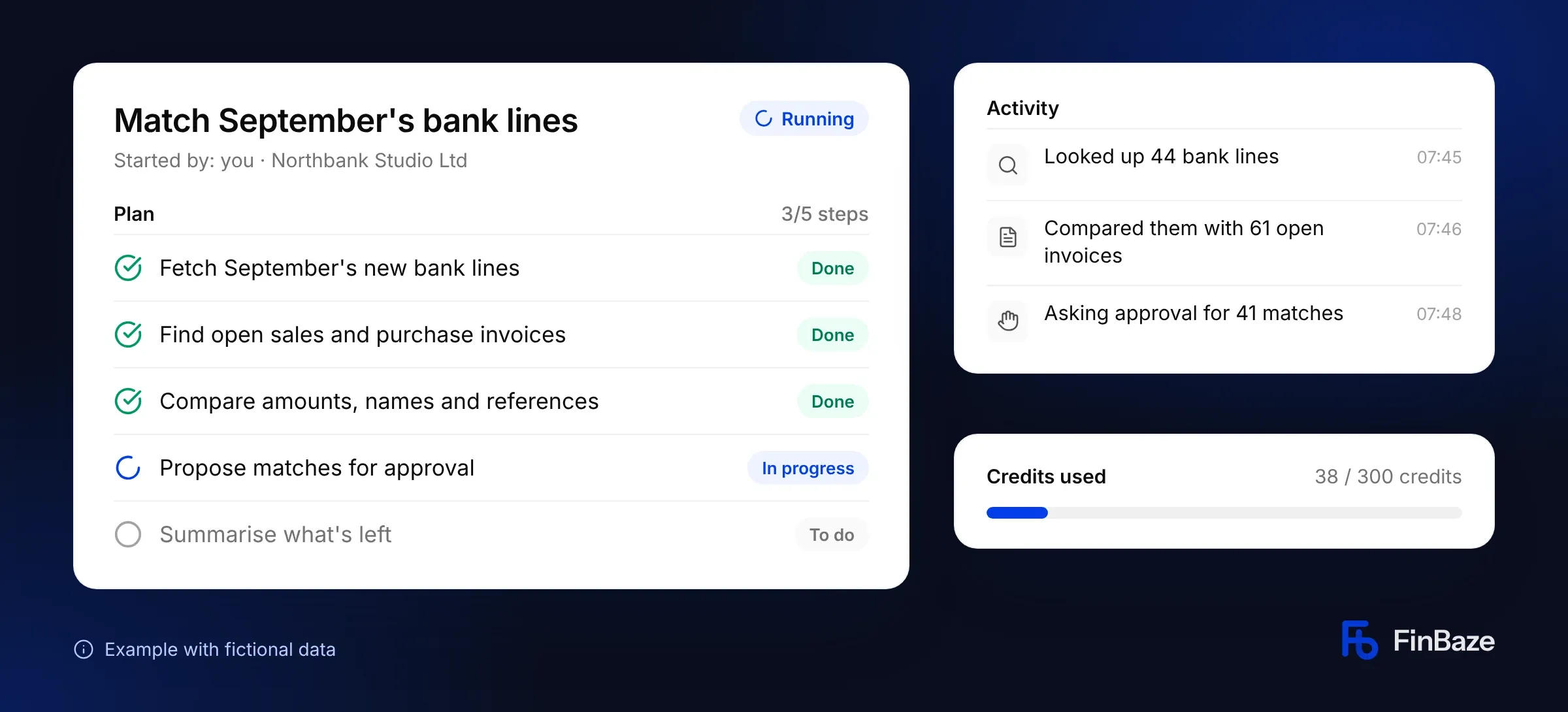
In the task view you follow the plan, every step the agent takes and how many credits it has used. You can pause, resume or cancel at any time.
Just ask
There are no menus or settings to learn. A few examples of what you can ask:
- “Find last month's bills that have no category yet and categorise them. Show me what you changed.”
- “List sales invoices that are more than 30 days overdue and draft a friendly reminder for each. Ask me before sending anything.”
- “Prepare a draft of last quarter's VAT return and explain the biggest differences with the quarter before. Don't submit it.”
- “Download our phone provider's invoices for the last three months and put them in the purchase inbox.”
Did a task work well? Save it as your own agent and let it run every week or month. You can also start a task from the FinBaze AI assistant or as a step in an automation. Or start one from ChatGPT and Claude through the FinBaze MCP server.
An agent with a toolkit
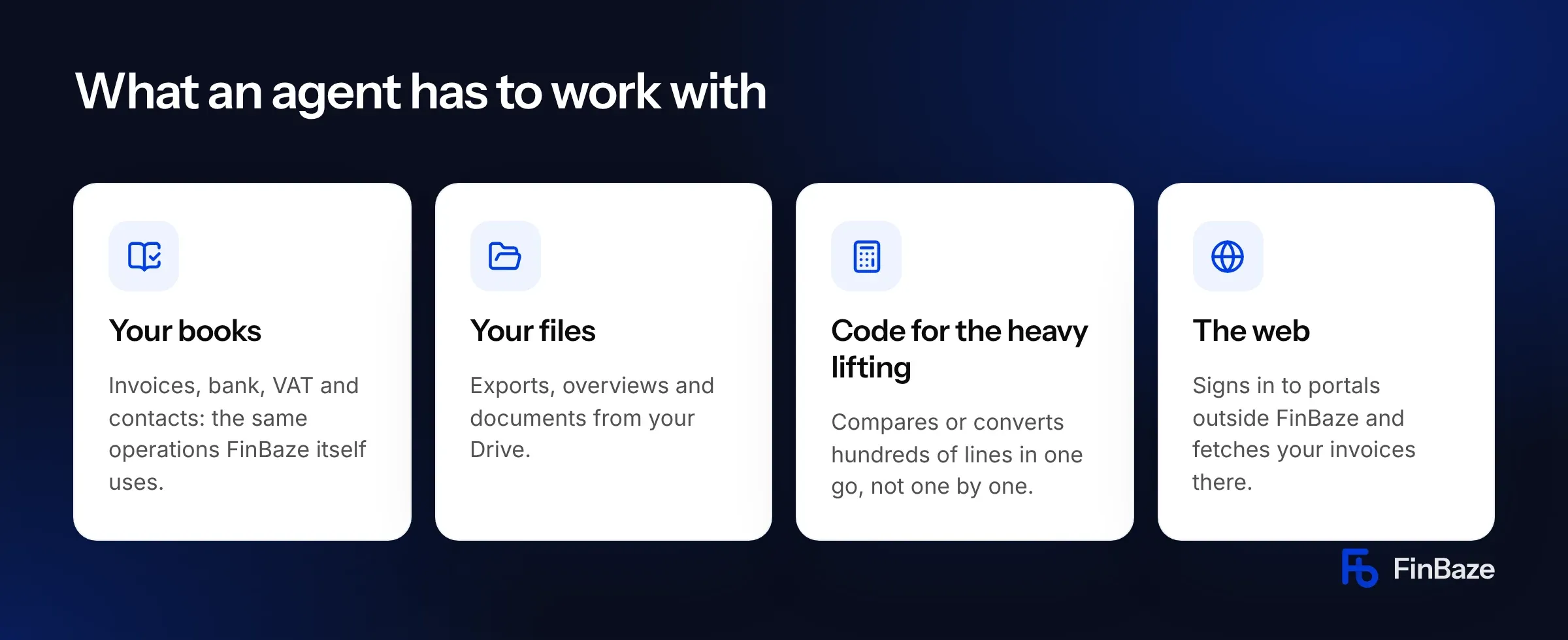
What makes an agent faster than doing it by hand is what it has to work with. At each step it picks the tool that fits.
- Your books. Invoices, bank, VAT, contacts and documents. The agent uses the same operations as FinBaze itself, within your permissions.
- Your files. Exports, overviews and documents from your Drive. Useful when you move over from other software, or when an export from your online shop needs processing.
- Code for the heavy lifting. When hundreds of lines need comparing or converting, the agent writes a small program that does it in one go. That's a lot faster than line by line.
- The web. On its own, separate computer, the agent signs in to portals outside FinBaze, such as your phone or energy provider's, and fetches your invoices there.
Good to know
You sign in to a portal together the first time. You take over the agent's screen for a moment, sign in with your password and code, then hand it back. Working on its own computer is switched on separately for each company. Passwords are stored encrypted and never shown.
You stay in control
An agent that gets to work in your books has to be one you can trust. That's where most of the work went. The AI model was the easy part. Making sure an agent can never pay a supplier on its own was the work.
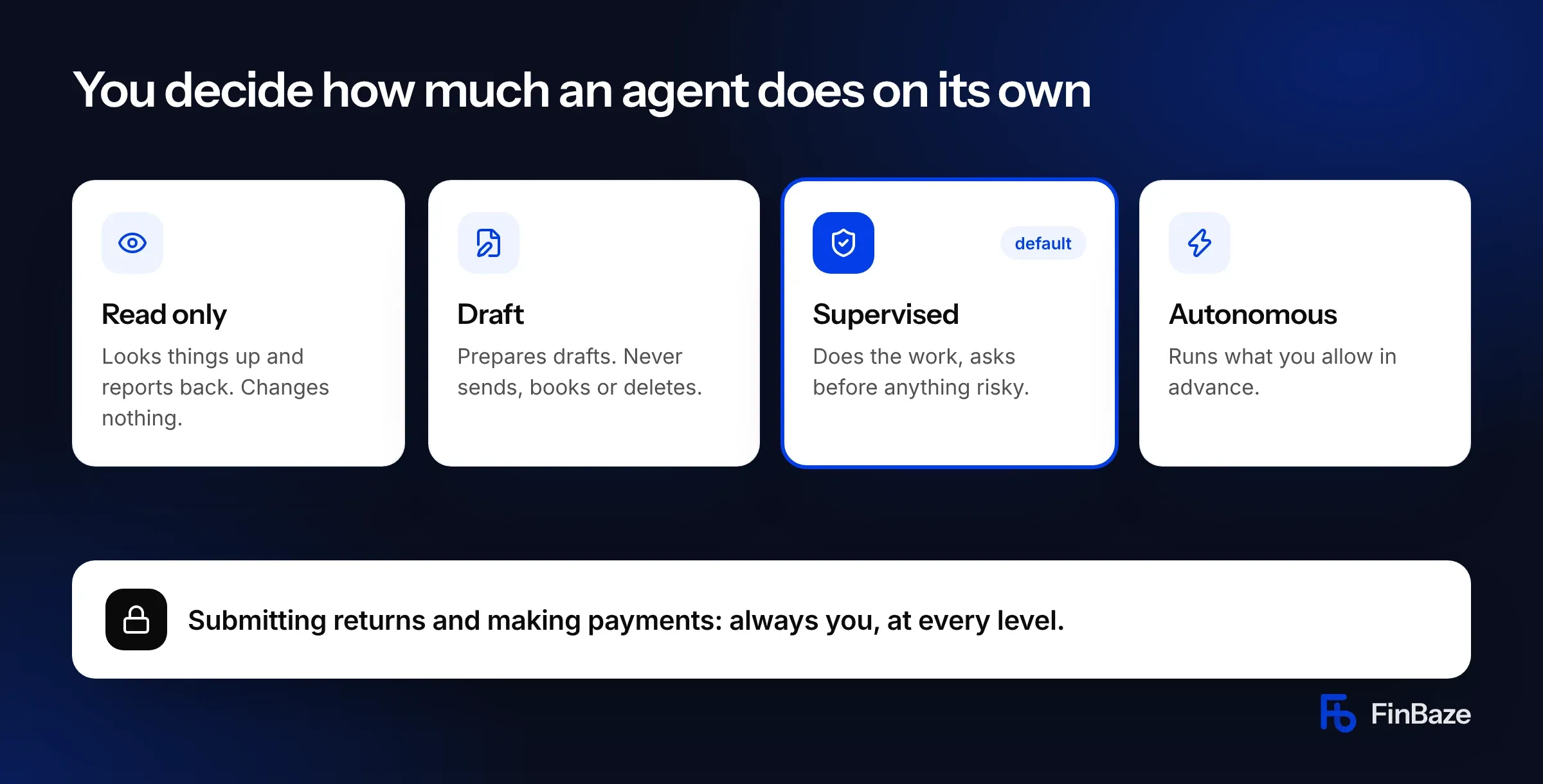
For every task and every agent, you choose how much it may do on its own:
- Read only: looks things up and reports back. Changes nothing.
- Draft: prepares drafts. Never sends, books or deletes.
- Supervised (default): does the work, but asks for your approval before anything risky.
- Autonomous: runs operations you authorise in advance without asking. This level is switched on separately for each company.
Each catalog agent also has a built-in maximum. The Receipt chaser, for example, can never go beyond Supervised.
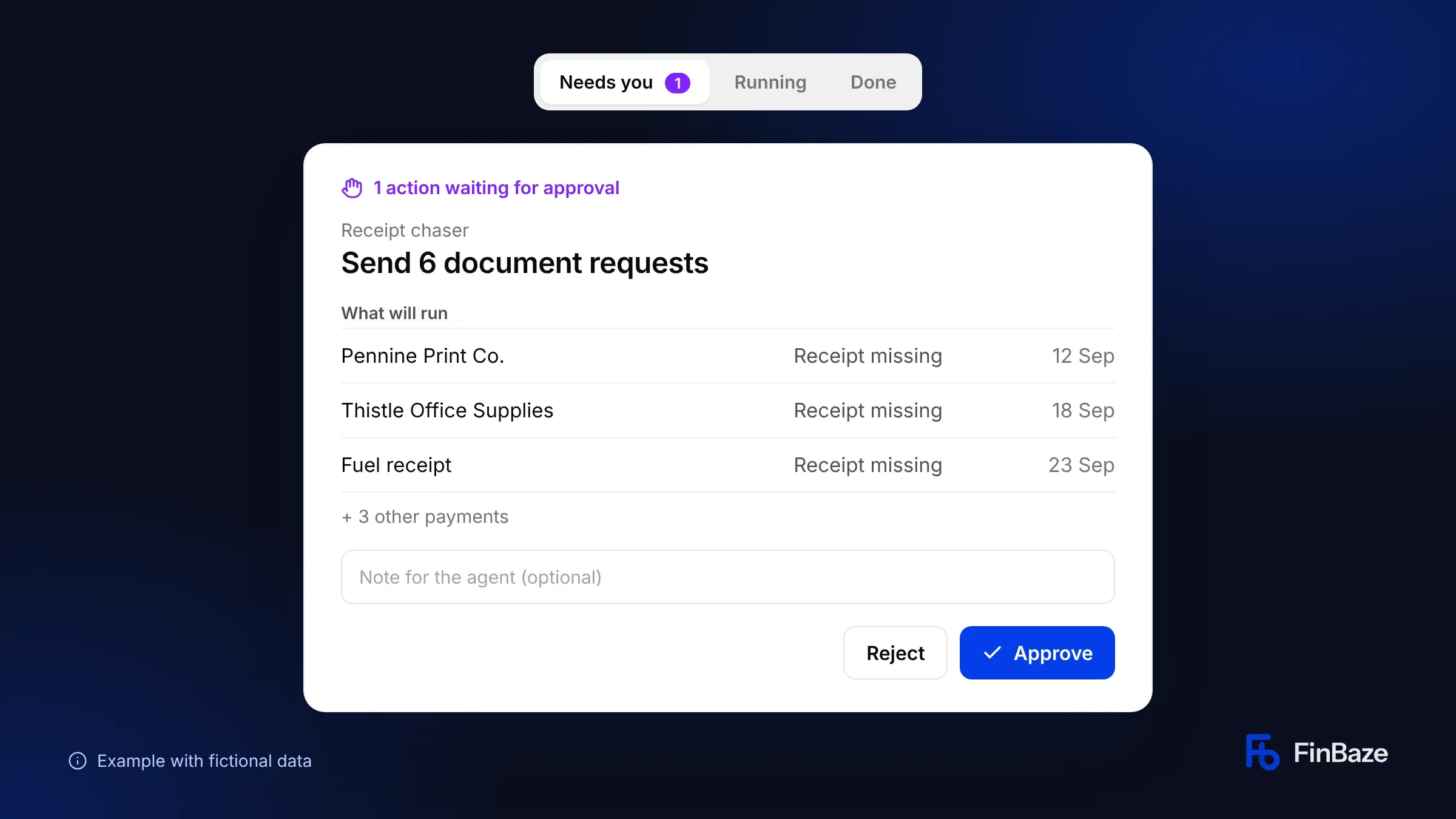
Everything waiting for you sits in one inbox: Needs you. You see exactly what an agent wants to do before you approve or reject it, and you can leave it a note. Reject it and it looks for another way. You get an email when a task needs you, finishes or gets stuck.
What always applies
- Returns and payments never leave without you. Not even at the highest level. An agent prepares a VAT return; you submit it. It prepares a payment batch; you pay it from your bank.
- An agent can never do more than the person who started or approved it, and it stays within the books it was started for.
- Instructions hidden in a document or email can't make an agent do something you didn't allow. FinBaze decides what it may do, not the text it reads.
- Every step is logged. You see what the agent read, what it changed and why.
- No double bookings. If a server goes down mid-task, the agent checks what already happened before it carries on.
- Every task has a hard budget. An agent stops at your limit and always leaves a summary of how far it got.
- A catalog agent only uses the operations its job needs, and agents can't install or change other agents.
Ready-made agents
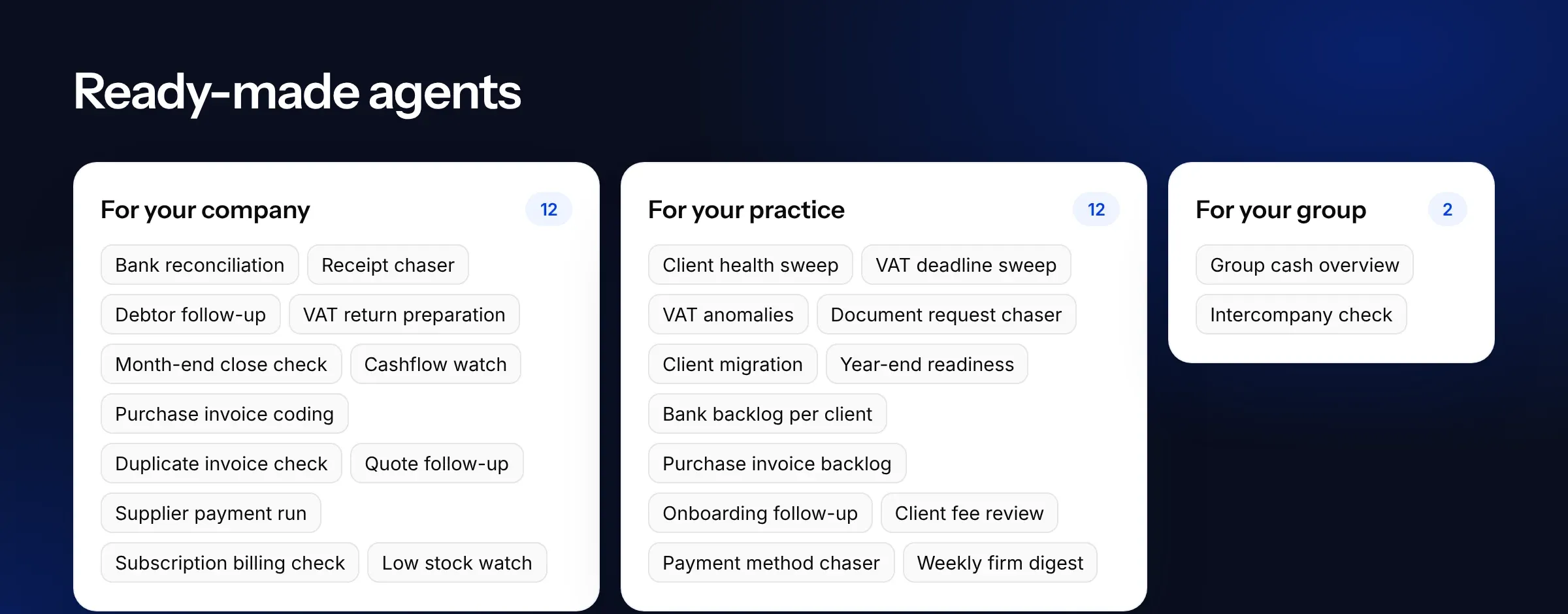
For recurring work there's nothing to describe. The agent catalog has ready-made agents you install, set up and run on a schedule. Most of them only read and report. The rest prepare work and wait for your approval.
For your company
- Bank reconciliation: matches new bank lines to open invoices every working day, and tells you which lines it couldn't match and why.
- Receipt chaser: finds payments without a receipt and prepares document requests. It checks your Drive first.
- Debtor follow-up: looks at how each customer usually pays and proposes a reminder where it makes sense.
- VAT return preparation: prepares your return as a draft and explains big changes against earlier periods.
- Purchase invoice coding: picks the account and VAT code based on how you booked that supplier before, with a note on each choice.
- Supplier payment run: prepares a payment batch and holds back suppliers whose bank details changed recently.
Others include Cashflow watch, Month-end close check, Duplicate invoice check, Quote follow-up, Subscription billing check and Low stock watch.
For accountants and bookkeepers
- Client health sweep: a weekly ranking of clients that need attention.
- VAT deadline sweep: finds clients with a VAT return due soon, checks the books are ready and prepares draft returns.
- VAT anomalies: compares each return with the previous period and last year, before anyone submits it.
- Document request chaser: reminds clients about open requests, or flags it for your team if the client has already replied.
- Client migration: moves a new client over from other bookkeeping software, with a reconciliation. It never deletes or overwrites anything.
Others include Year-end readiness, Bank backlog per client, Purchase invoice backlog and a Weekly firm digest.
For your group
Group cash overview gives you the cash position per company and for the whole group every Monday. Intercompany check confirms the current accounts between group companies agree.
Three examples
The names and amounts below are made up. The flow is how agents work.
Monday morning at a limited company
At 07:40, Cashflow watch flags that the balance is heading below £5,000 by the end of November. By 07:45, Bank reconciliation has matched 41 of 44 new bank lines and explains why three didn't match. At 08:50, the Receipt chaser finds six payments without a receipt and asks for one approval to send the requests. The director opens Needs you, reads along and approves.
Monday at the practice
Client health sweep ranks 60 clients; five need attention. VAT deadline sweep has prepared twelve draft returns. VAT anomalies flags one client with a nil return that shouldn't be one. Document request chaser has nine reminders ready for a single approval. The agents do the digging, the team makes the call.
Changed bank details
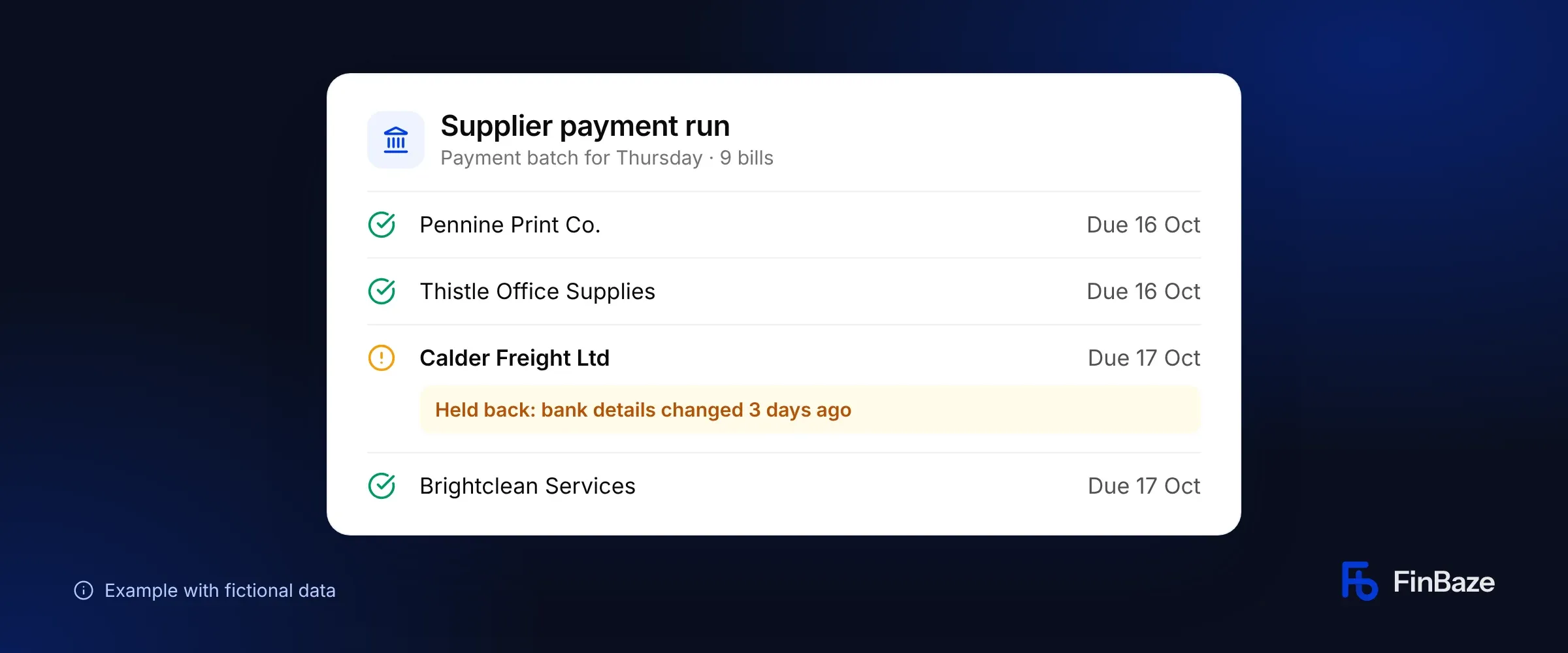
Supplier payment run prepares Thursday's payment batch. One supplier's bank details changed three days ago. The agent holds that bill back and says why. If the change is genuine, you add it yourself. If it isn't, you've just stopped a fraud attempt.
Availability and pricing
FinBaze Agents are available now in early access. We're rolling out in stages: supervised first, with a small group of users, then in our plans.
Agents use AI credits. Each catalog agent shows roughly how many credits a run takes, and every task has a hard maximum that you set. We'll announce which plans include agents when they become more widely available.
What's next
This is the first version. We want to hear which work you'd like to hand off, where agents work well and where they fall short.
Request early access. We'll get in touch and set it up with you.
Frequently asked questions
Does an agent replace my accountant?
No. An agent does the digging and the preparation. Decisions, returns and payments stay with you or your accountant. For practices, an agent works as an extra pair of hands on every client file.
Can an agent submit my VAT return?
No. An agent prepares the return as a draft and explains what stands out. You submit it yourself, even at the highest level of autonomy.
What if an agent makes a mistake?
At the default level, Supervised, the agent asks for your approval before it changes anything that matters. Every step is logged, so you see exactly what it did and which records it touched. You can pause or cancel a task at any time.
How do I know when an agent needs me?
By email and inside FinBaze, in the Needs you inbox. You get at most one email per task every 15 minutes.
Can I start agents from ChatGPT or Claude?
Yes, through the FinBaze MCP server. From an outside app, an agent can only read or prepare drafts.
Which languages do agents work in?
English and Dutch.
What does it cost?
Agents use AI credits. You see roughly what a run costs up front and set a maximum per task. We'll announce which plans include agents when they become more widely available.
Agents prepare. You decide.